Alice in Wonderland Shadow Box Template
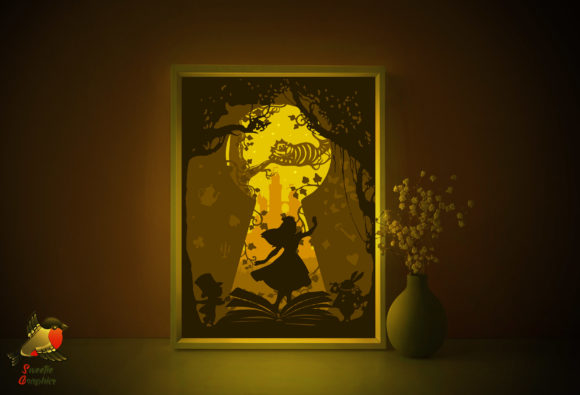
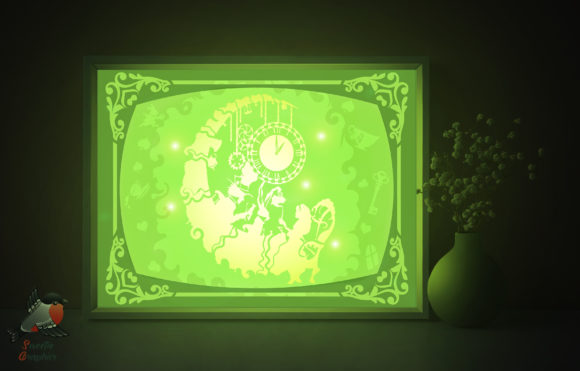
Creating a cozy, imaginative atmosphere in your space doesn’t have to be complicated. With the Alice in Wonderland Shadow Box Template, you can bring a touch of whimsy and warmth into your home or workspace through a beautifully crafted lightbox. This digital template is designed to help you create a multi-layered paper model that, when backlit, casts soft, magical shadows inspired by the beloved classic story.
What Makes This Shadow Box Unique?
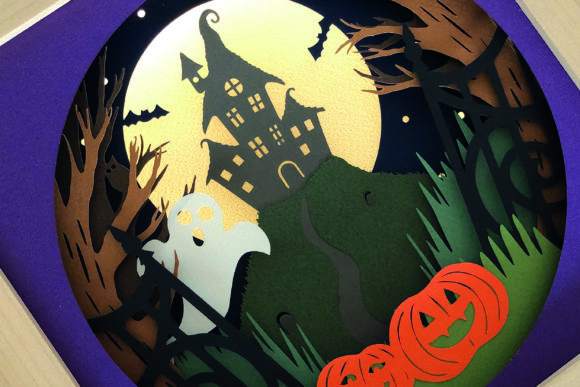
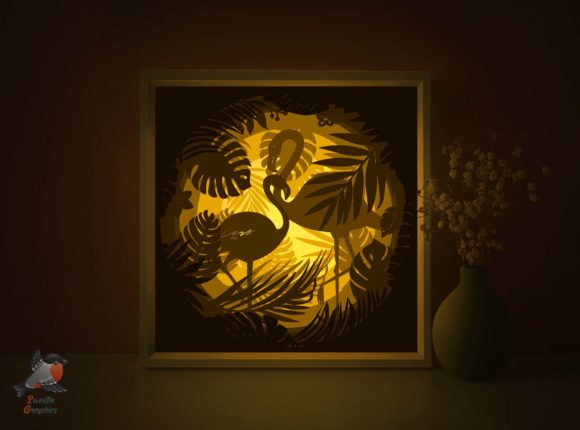
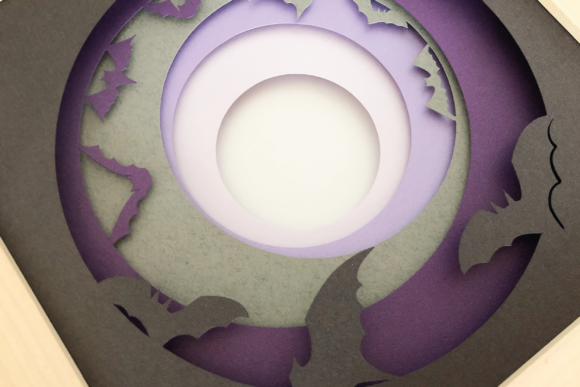
Unlike standard decor items, this shadow box combines papercraft with lighting to produce a dynamic visual effect. The template includes three distinct paper layers that, when aligned and illuminated, create a dimensional scene. Each layer is carefully designed with smooth lines and intricate details from Alice in Wonderland, making it both a creative challenge and a rewarding project.
Whether you're a beginner or an experienced crafter, you’ll appreciate the flexibility of this template. It's compatible with both hand and machine cutting, and you can print it on A4 or A3 paper (180–250gsm recommended). The included SVG, EPS, and AI files allow for easy resizing and customization, so you can adapt the design to your specific needs.
Why People Love the Alice in Wonderland Lightbox
This template appeals to a wide range of people—from hobbyists and DIYers to educators and small business owners. Here’s why:
- Decorative charm: Once assembled and lit, the shadow box fills any room with a warm, inviting glow. It’s perfect for bedrooms, nurseries, living rooms, or even office spaces where a touch of creativity can boost mood and productivity.
- Personalized gift: Handmade gifts are always special. With this template, you can create a unique, storybook-inspired keepsake for birthdays, baby showers, or housewarming parties.
- Educational value: Teachers and homeschoolers can use the project to introduce storytelling, art, and design principles in a hands-on way. Kids and teens can learn about layering, spatial awareness, and attention to detail while engaging with a classic literary theme.
- Business opportunity: Entrepreneurs and content creators can use the finished product in photo shoots, as part of a product line, or as a unique prop in branding or social media content.
How to Use the Shadow Box Template
Using the Alice in Wonderland Shadow Box Template is straightforward, but it does require a bit of patience and attention to detail. Here's how to get started:
- Download and prepare: After purchasing the digital file, extract the ZIP folder. You’ll find PDF, SVG, EPS, PNG, AI, and JPG files. Choose the format that works best with your tools—printable PDFs for home printing, SVG/EPS for cutting machines, or AI for editing.
- Print on the back: One key tip included in the Readme file is to print on the back of the paper. This ensures cleaner cuts and a more polished final look. Use 180–250gsm paper for durability and a professional finish.
- Cut and assemble: Carefully cut each of the three layers using an art knife or scissors. If you’re using a cutting machine, import the SVG or EPS files for precise cuts. Layer the pieces in the correct order and secure them in a frame or box that allows light to pass through from behind.
- Add lighting: LED strips or small light panels work best. Place the light source behind the layered paper to cast the detailed shadows that make this project so special.
Where to Display Your Finished Lightbox
Once complete, your Alice in Wonderland Shadow Box becomes more than just a craft project—it’s a statement piece. Here are some great places to showcase it:
- Living room: Hang it on a wall or place it on a shelf for a conversation starter that brings warmth and character to your space.
- Bedroom or nursery: The soft glow makes it a perfect nightlight alternative, especially for children’s rooms or themed nurseries.
- Office or studio: Add a creative flair to your workspace. It’s a great way to personalize your environment and inspire imagination during work hours.
- Classroom or library: Use it as a storytelling tool or a decorative element that ties into a reading or art lesson.
- Events and pop-ups: If you run a small business or host creative events, the shadow box can be part of your display or a unique giveaway item.
Things to Consider Before You Start
While this template is beginner-friendly, there are a few important points to keep in mind before diving in:
- Time and focus: Cutting and assembling the layers takes time. Make sure you have a quiet space and enough time to work carefully, especially if you're new to papercraft.
- Tools needed: You’ll need a printer, art knife or scissors, and sturdy paper. Optional tools like a lightbox or LED strip can enhance the final effect but aren’t required.
- Editing capabilities: If you want to resize or customize the design, having access to design software like Adobe Illustrator or a free alternative like Inkscape will be helpful.
- Lighting choice: The type of light you use affects the overall look. Soft white LEDs tend to give the best results, avoiding harsh shadows or color distortion.
- Display method: Think about how you’ll mount or frame your shadow box. Some people use simple frames with the back open, while others build custom wooden or acrylic boxes for a more polished finish.
Make Your Space More Magical
The Alice in Wonderland Shadow Box Template is more than just a downloadable file—it’s a way to bring a sense of wonder into your everyday life. Whether you’re looking to try a new craft, create a personalized gift, or add a unique decorative element to your space, this template offers a satisfying and creative experience.
With clear lines, easy-to-cut designs, and multiple file formats included, it’s accessible to a wide audience. And because it’s digital, you can download and start your project right away—no shipping delays or waiting for supplies. Just print, cut, assemble, and enjoy the warm, magical glow of your own handmade lightbox.