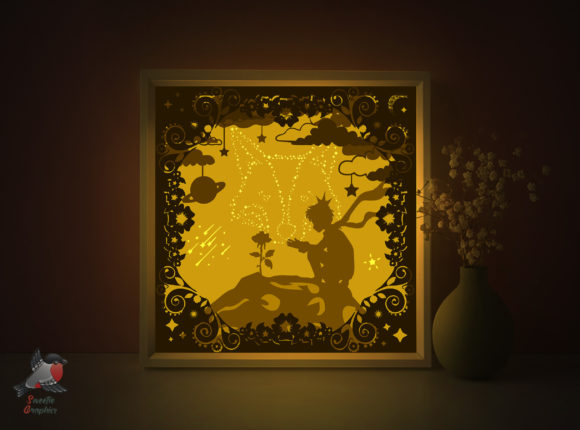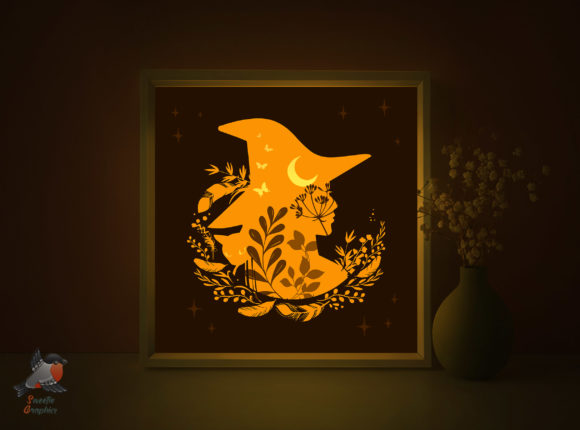
Witch Halloween Magic Light Box Template
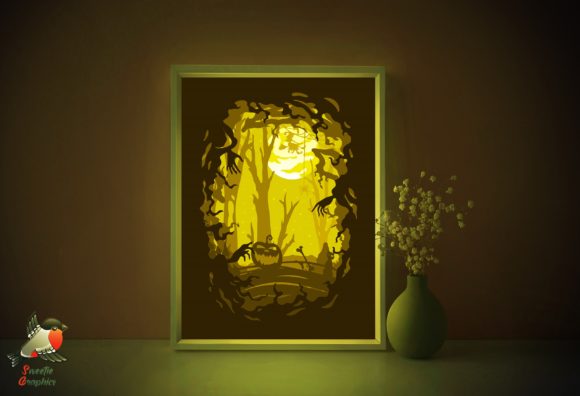
The Witch Halloween Magic Light Box Template brings a touch of enchantment and warmth to any space. Designed with intricate layers and a whimsical aesthetic, this digital papercraft template is perfect for crafting a personalized lightbox that radiates coziness and charm. Whether you're a designer, crafter, or small business owner, this template offers a versatile way to elevate your interior decor or creative project with a magical Halloween twist.
Each lightbox is made from five layers of paper, carefully arranged to create depth and dimension when illuminated. The result is a soft, glowing effect that transforms your room into a mystical haven. The template comes in a 220x220 mm size but can be resized to fit your preferred paper dimensions. With included files in PDF, SVG, EPS, PNG, AI, and JPG formats, this template is compatible with both hand-cutting and machine-cutting methods, making it accessible to a wide range of crafters and digital designers.
Design Characteristics and Aesthetic Appeal
The visual style of the Witch Halloween Magic Light Box Template is rooted in a blend of traditional papercraft and modern digital design. Its layered illustrations evoke a sense of storytelling, with classic Halloween motifs like witches, bats, and haunted houses rendered in a clean, yet playful manner. The lines are smooth and precise, ensuring a clean cut whether you're using scissors or a craft knife.
What sets this template apart is its ability to transition seamlessly between personal and commercial use. Whether you're creating a custom lightbox for your living room or designing a limited-edition product for your brand, the template's detailed artwork and layered structure offer a professional finish without requiring advanced technical skills.
Where This Template Works Best
This lightbox template is especially effective in environments where mood and atmosphere play a key role. It’s ideal for seasonal home decor, boutique packaging, themed events, and creative content creation. Bloggers and content creators can use the finished lightbox as a unique backdrop for photography or social media visuals, especially around Halloween.
Entrepreneurs and small business owners can also integrate the template into branded merchandise, such as limited-time promotional items or seasonal gift boxes. The high-quality vector illustrations included in the package allow for customization and scalability, making it easy to adapt the design for different formats and applications.
How to Use the Template Effectively
To get the most out of the Witch Halloween Magic Light Box Template, it's important to approach the build with attention to detail. Begin by printing the layers on 180–250gsm paper for optimal durability and visual clarity. Since the design requires printing on the back of the paper, be sure to mirror your print settings accordingly to ensure the final appearance is clean and polished.
Once printed, carefully cut each layer using either a craft knife or a cutting machine. Precision is key to achieving the layered depth that makes the lightbox visually engaging. After assembly, mount the layers onto a foam board and place them inside a shadowbox frame with a glass or plastic cover. Add an LED strip with a power supply and a switch to illuminate your creation from within.
For designers, the AI and EPS files offer flexibility for further customization. You can tweak colors, adjust layer positions, or even incorporate additional design elements to match your brand identity or personal style. The included illustrations and JPG files can also be used independently for other design assets like social media posts or printables.
Typography and Design Pairings
While the Witch Halloween Magic Light Box Template doesn’t include specific fonts, it pairs beautifully with a variety of typographic styles depending on your project's tone. For a classic Halloween feel, consider using a display font with a slightly spooky or vintage edge. If you're using the lightbox for branding or packaging, a serif font or sans serif font with clean lines can help balance the whimsical imagery and maintain a professional look.
When creating supporting materials like labels, tags, or digital graphics, think about font pairing strategies that enhance readability and visual hierarchy. Combining a decorative script font with a more structured modern typography style can create an engaging contrast that draws the eye and reinforces your brand identity.
Practical Tips for Designers and Makers
Whether you're a professional designer or a hobbyist, here are a few tips to ensure your lightbox turns out beautifully:
- Test your materials: Experiment with different paper weights and textures before committing to your final print.
- Plan your lighting: Choose an LED strip with adjustable brightness to control the intensity of the glow.
- Layer with intention: Arrange the cut layers in order before mounting to ensure depth and alignment.
- Consider scalability: Resize the template thoughtfully to maintain clarity and detail, especially for larger formats.
- Check licensing: Confirm that the template allows for commercial use if you're planning to sell your finished product.
By taking the time to test and refine your approach, you’ll create a lightbox that not only looks stunning but also functions as a meaningful part of your interior or brand experience.