One Social Media Mockup for Every Creative Need
Visual presentation matters—especially when showcasing digital content. Whether you're a designer, marketer, or small business owner, you need a fast, professional way to display your social media assets. That's where One Social Media Mockup comes in. It's a streamlined solution for presenting your designs on platforms like Instagram, Facebook, and TikTok—all with a single, smartly designed file.
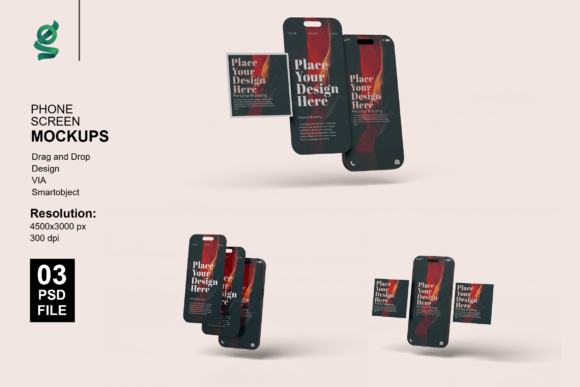
This mockup set includes iPhone-based 3D renderings that let you insert your visuals with just one click using Photoshop's Smart Object feature. With high-resolution output, customizable backgrounds, and organized layers, it's ideal for anyone who wants to create polished presentations without spending hours on setup.
Why One Mockup Can Replace an Entire Toolkit
Gone are the days of juggling dozens of files for different formats. One Social Media Mockup simplifies the process by offering a flexible, all-in-one template that adapts to multiple uses. Whether you're designing a post, a story, or even a preview for a client presentation, this mockup scales with your needs.
Its 4500x3000 px resolution at 300 dpi ensures your visuals look sharp on screen and in print. And since it's built with Smart Objects, editing is intuitive. Just double-click the layer, paste your design, save, and close. The mockup updates automatically, saving you time and reducing clutter in your workflow.
Creative Possibilities with iPhone Social Media Mockups
iPhone mockups are more than just a way to show off app screenshots. They offer a realistic context for how your content appears on a real device—making them perfect for portfolios, marketing materials, and pitch decks. Here are a few creative applications:
- Product Launches: Showcase your app interface or social media campaign as it would appear on a user’s phone.
- Client Presentations: Deliver polished visuals that reflect the final user experience.
- Educational Content: Demonstrate how a tutorial or course layout appears on mobile.
- Social Proof: Use mockups to highlight testimonials, user-generated content, or influencer collaborations.
With customizable lighting and background options, you can tailor each render to match your brand’s aesthetic. Whether you prefer a clean white backdrop or a lifestyle shot with a textured surface, the flexibility is there to suit your vision.
How to Make the Most of Smart Object Editing
The Smart Object feature in Photoshop is a game-changer for anyone using One Social Media Mockup. It allows you to insert your design non-destructively, meaning you can update it anytime without affecting the rest of the file. Here's how to use it effectively:
- Open the PSD file in Adobe Photoshop.
- Locate the Smart Layer in the Layers panel.
- Double-click the Smart Layer thumbnail to open a new tab.
- Paste your design into this tab, making sure it aligns properly.
- Save and close the Smart Layer tab—the mockup updates instantly.
This method keeps your workflow clean and organized. You can reuse the same mockup for multiple projects by simply updating the Smart Layer, which is especially useful if you're managing multiple campaigns or client work.
Adapting the Mockup for Different Audiences and Platforms
What makes One Social Media Mockup truly versatile is how easily it can be adapted. Here's how different users can apply it:
- Freelancers: Use it to create professional previews for clients without the need for complex renders.
- Bloggers: Show how your content looks in a mobile format when promoting a new post or design template.
- Educators: Illustrate how course materials appear on mobile apps or learning platforms.
- Entrepreneurs: Present your digital product in a realistic setting when pitching to investors or launching a crowdfunding campaign.
Because the mockup is based on an iPhone screen, it works across platforms like Instagram, Facebook, TikTok, and even custom web apps. This universality makes it a go-to asset for anyone creating content for mobile-first audiences.
Keeping Your Presentation Clear and Impactful
Even the best mockup can fall short if not used thoughtfully. To ensure your visuals are both professional and audience-friendly:
- Match your brand colors: Use the background color customization to align with your existing palette.
- Keep it minimal: Avoid cluttering the mockup with too many elements. Let your design shine.
- Use realistic lighting: Adjust the light settings to reflect how your audience might view the content.
- Test multiple angles: Even with one mockup, subtle variations in background or lighting can give you different looks for different uses.
Consistency matters, especially if you're using the mockup across multiple campaigns or platforms. Save your preferred settings as presets in Photoshop to streamline future use.
Real-World Inspiration for Practical Use
Let’s say you're a small business owner launching a new Instagram campaign. Instead of sending flat screenshots to your team or clients, you can use One Social Media Mockup to show how each post will look in the app. This adds context and makes feedback more actionable.
Or imagine you're a freelance designer pitching a new app interface. With a realistic iPhone render, you can demonstrate how users will interact with the design—without needing to build a full prototype.
Even educators and course creators can benefit. If you're promoting a mobile-based learning platform, showing how your content appears on a phone screen helps potential users visualize the experience.
Conclusion: One Mockup, Endless Possibilities
One Social Media Mockup isn’t just about convenience—it's about elevating your visual communication. Whether you're a solo creator or part of a larger team, having a reliable, adaptable tool for showcasing your work can make a big difference in how your content is received.
By combining high-quality 3D rendering with smart editing features, this mockup empowers you to create professional-grade visuals quickly and efficiently. It's not just a design asset—it's a foundation for better storytelling, clearer communication, and more compelling presentations.